Free Laser Cut SVG Files to Sell at Craft Fairs
Quick answer
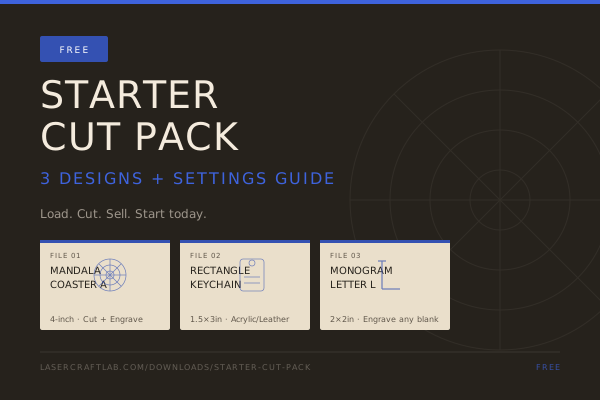
This free starter pack gives you 3 cut-ready SVG designs — a mandala coaster, a keychain, and a monogram letter — plus a 4-page settings and craft-fair pricing guide for wood, acrylic, and leather. Load them into LightBurn or xTool Creative Space and cut your first sellable batch today. No email required.
Free · no email required
Craft Fair Bestsellers — Free Starter Cut Pack
3 cut-ready SVG designs (mandala coaster, rectangle keychain, monogram letter L) plus a 4-page settings guide — load into LightBurn or xTool Creative Space and make your first saleable products today.
What's inside
- 3 complete SVG files: mandala coaster (4in), rectangle keychain (1.5×3in), monogram letter L (2×2in)
- 4-page settings guide: LightBurn setup, starting-point speed/power tables for wood, acrylic, and leather, craft fair pricing math
- Commercial use included — sell finished physical products at craft fairs, Etsy, or markets
ZIP · 3 SVG files + 4-page PDF guide · No email required
Want the next free pack first?
You're in. Watch your inbox. ✓
How to use the files
The download is a small zip with four files: the three cut-ready SVGs plus a 4-page PDF guide. Page 1 of the guide shows the designs full-size, page 2 gives each file's dimensions and layer notes, page 3 walks a full weekend coaster build with starting settings, and page 4 previews the full 15-design bundle. Import the SVGs straight into LightBurn or xTool Creative Space — red layers auto-assign as Cut, blue as Scan/Fill, and engrave should always run before cut so the workpiece doesn't shift mid-job.
Every setting in the guide is a documented starting point, not a guarantee — run a 5×5 test grid on scrap material from the same batch before committing a real blank, and keep active ventilation running throughout. Full method in our settings cheat sheet.
Keep building
Once your first batch is cut, the 10 beginner laser projects guide ranks nine more ideas by how forgiving they are for a new machine, and selling laser engraved products on Etsy covers the pricing math and shop-setup steps for turning a craft-fair batch into a real listing. Ready for all 15 designs? See the full Craft Fair Bestsellers SVG Bundle on the products page.
Common questions
Is this free SVG pack really free, no email required?
Yes. The download button links straight to the zip — three SVG files plus the 4-page guide PDF, no email capture, no account, no trial. The newsletter box next to it is optional, for readers who want the next free pack the moment it ships.
What software and machines work with these files?
Any laser software that imports standard vector files: LightBurn (diode and CO2), xTool Creative Space, and Glowforge's browser app. The guide uses the standard red-cut/blue-engrave layer convention that LightBurn auto-assigns on import.
Can I sell products I make with these free designs?
Yes — commercial use is included. Sell finished physical products (coasters, keychains, engraved pieces) at craft fairs, on Etsy, or at markets. The license covers physical products only, not reselling or redistributing the design files themselves.
How is this different from the paid Craft Fair Bestsellers Bundle?
This free starter covers 3 designs and a 4-page guide. The $9 full bundle adds all 15 cut-ready designs — coasters, keychains, frames, ornaments, gift tags, and a complete A–Z monogram set (all 26 letters) — plus a 5-page settings and LightBurn setup guide. See the full breakdown on the products page.
Subscribe · The Cut List
One sharp email, every week.
New laser project files, material guides, and machine comparisons — no filler. Free.
You're in. Watch your inbox. ✓
No spam. Unsubscribe any time.